
See the workspace
What it actually looks like to write a series in Ink Fortress.
Real product, no mockups. Eight surfaces, in the order an author actually uses them.
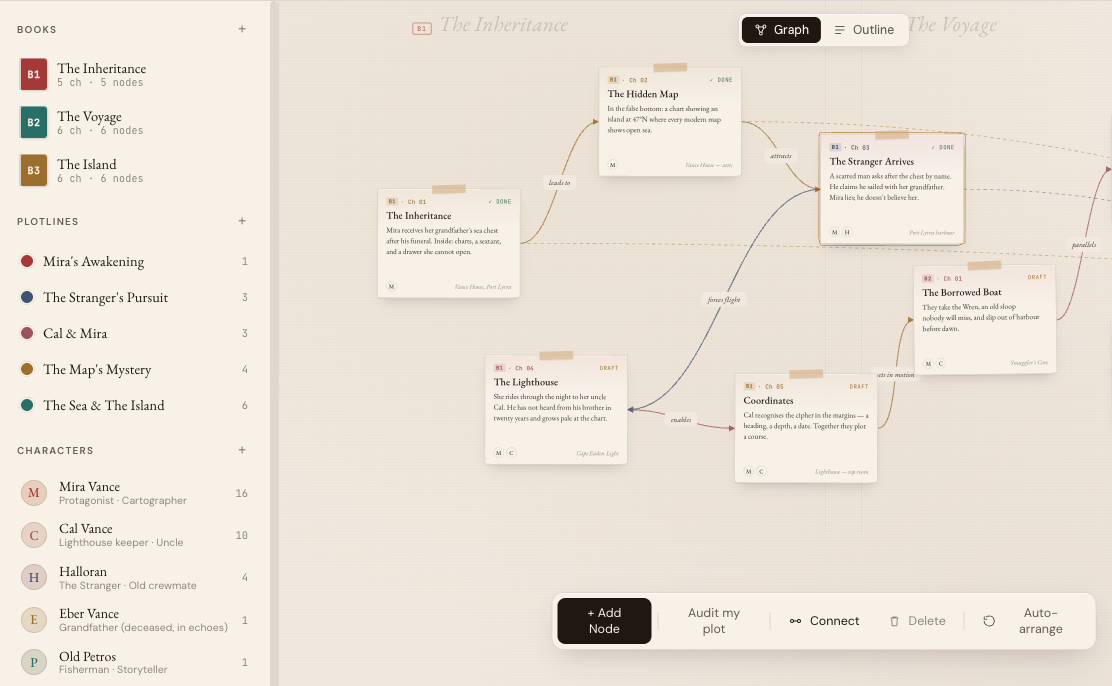
Story Graph
Plot a series, not a book.
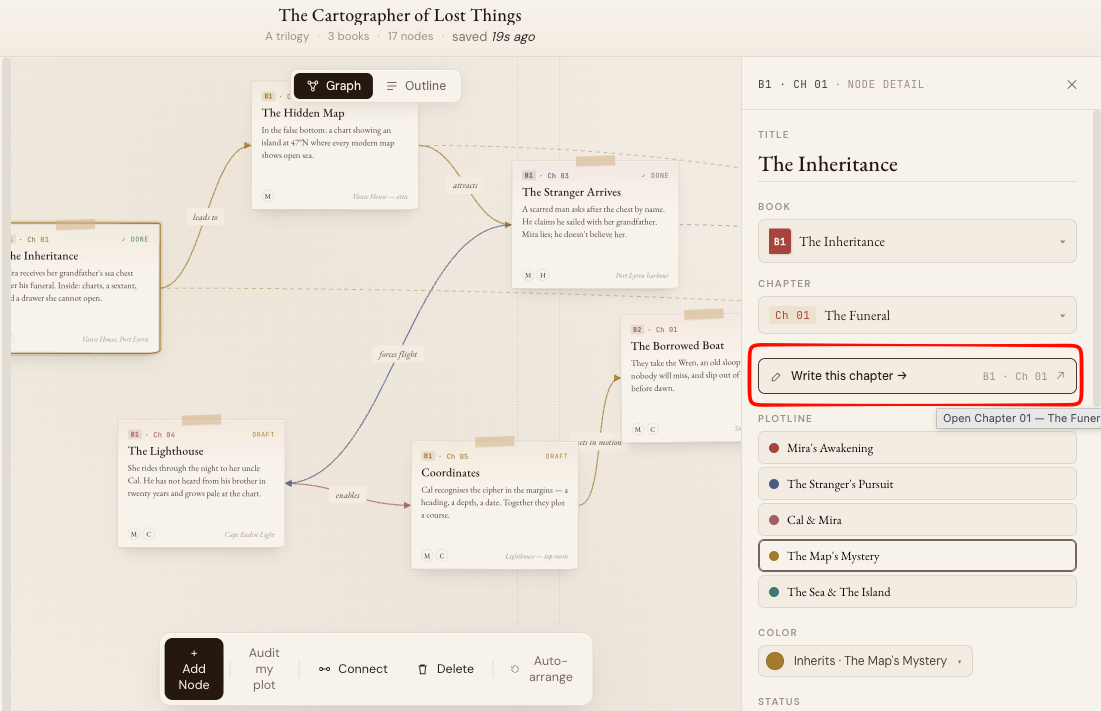
Books and chapters live on the same map. Color-coded plotlines run between them. Click any node and land in that scene.
— “Audit my plot” turns the AI into a coplotter, not just a copywriter.
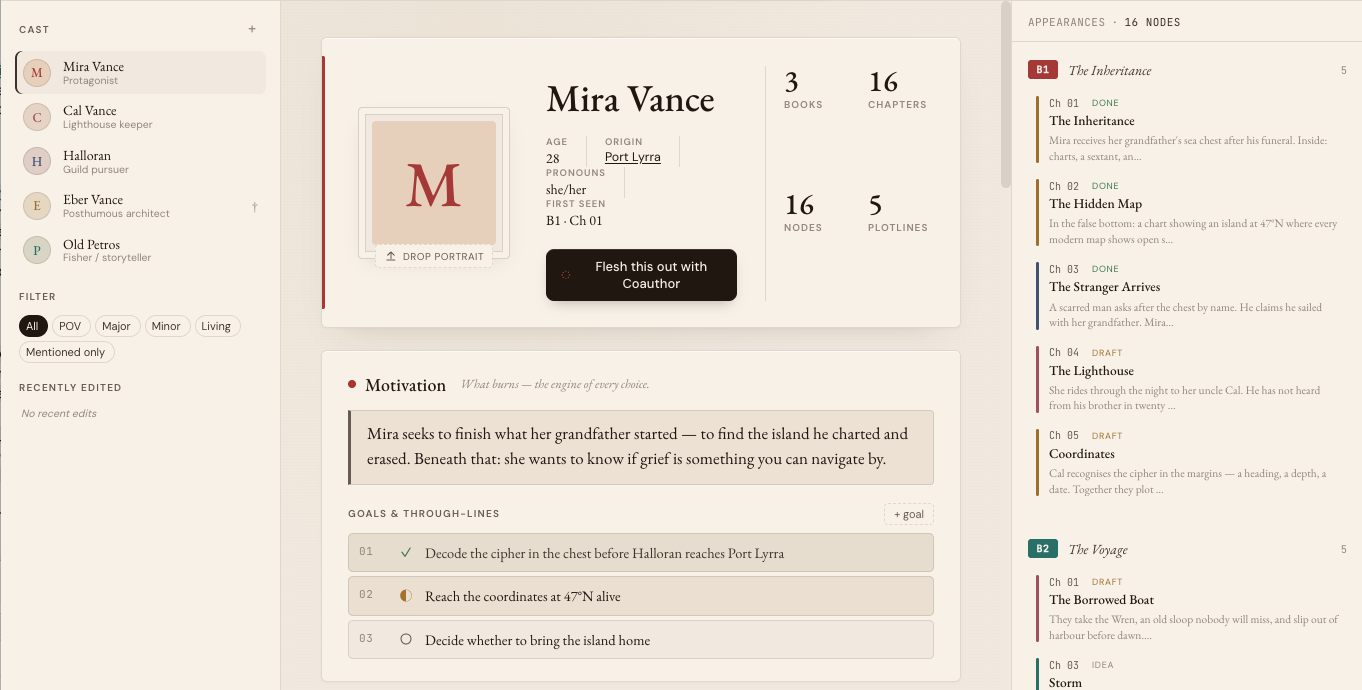
Character
A cast that earns its arcs.
Every character knows where they have been. 16 chapters, 5 plotlines, every appearance on tap. Goals and through-lines tracked across books.
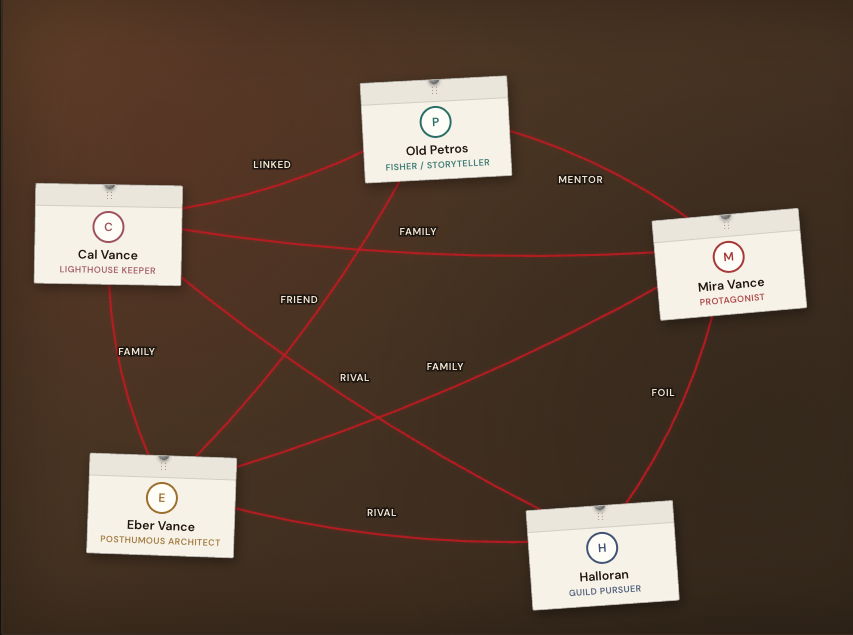
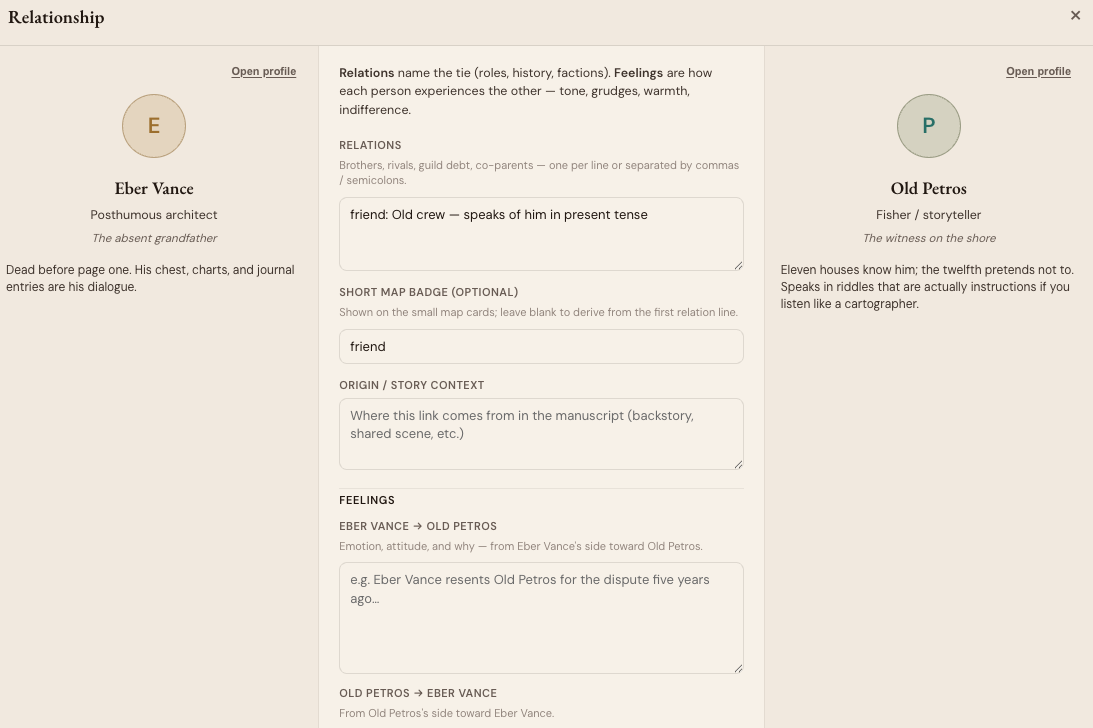
Relationships
Mapped and felt.
The graph shows the web. The detail panel captures the asymmetry — Eber resents Petros while Petros forgives Eber.
— Most tools treat relationships as symmetric. People aren't.
Codex
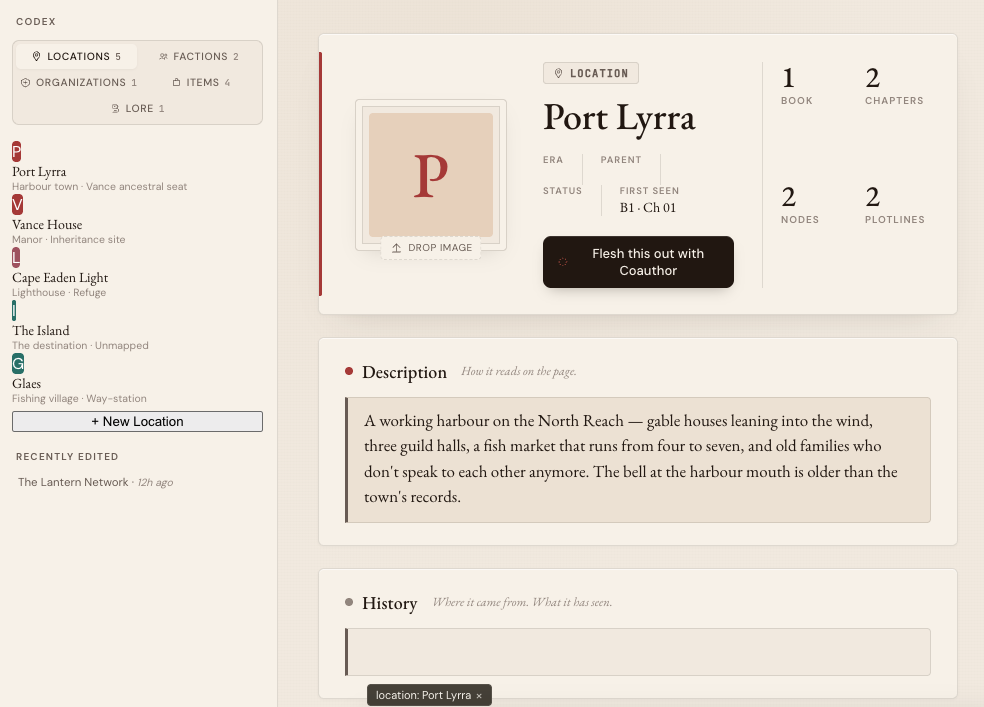
A world you build once.
Locations, factions, organizations, items, lore. Each entry knows which books, chapters, nodes, and plotlines reference it. Continuity stops being homework.
Writer
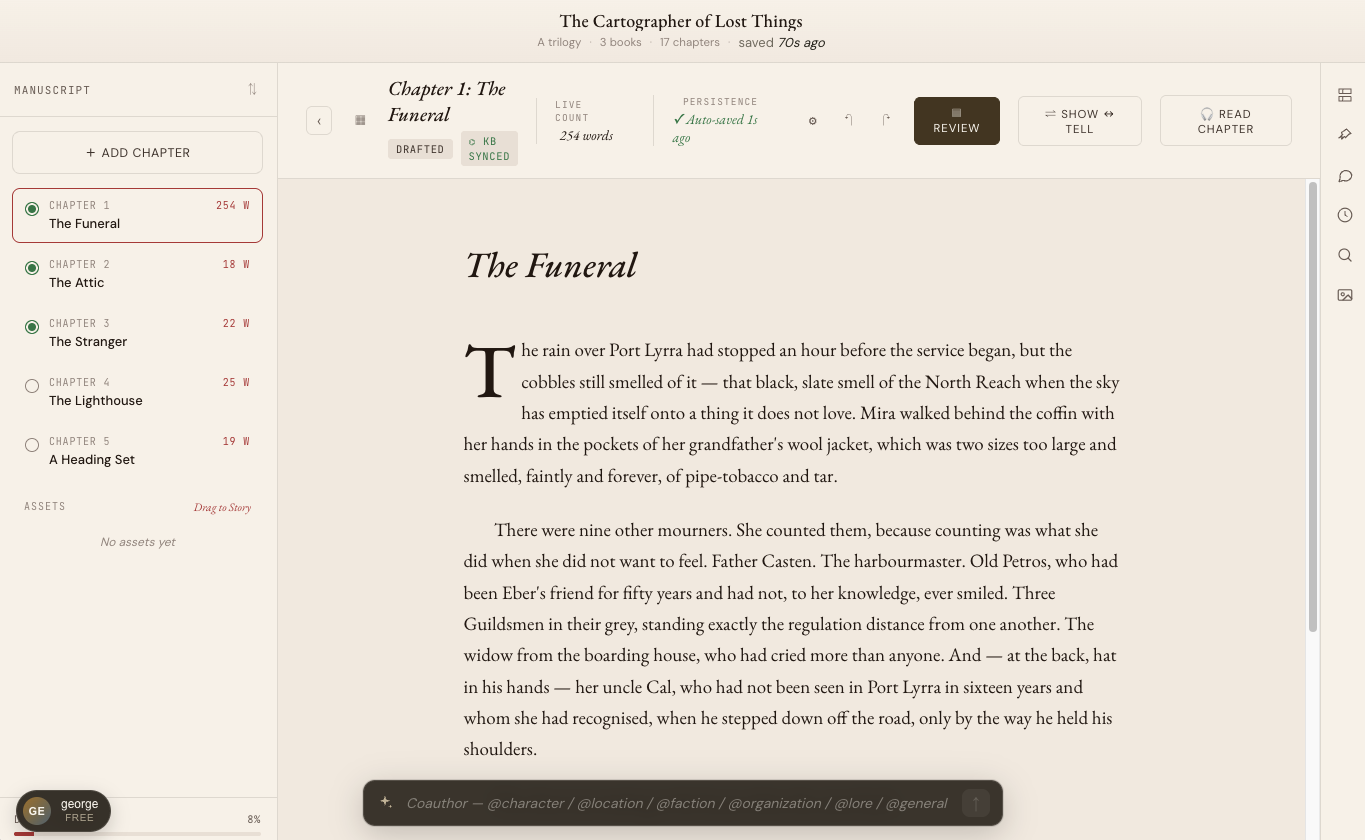
Calm editor. AI on selection.
Drop cap, Garamond, ample margin. Type @character or @location to drop in known cast and world. Highlight a line — the AI bubble offers a tighter alternative or a Show ↔ Tell pass.
Editor Pro
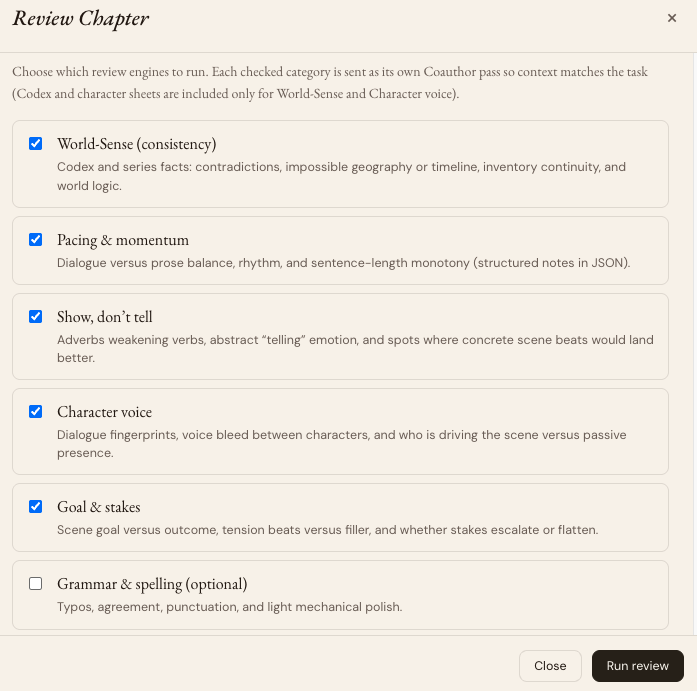
Review the chapter, not the whole book.
Six review engines: world-sense, pacing, show-don't-tell, character voice, goals & stakes, grammar. Run what the chapter needs.
— Each pass goes to its own AI with the right context. Editor Pro made tactile.
Book Launch
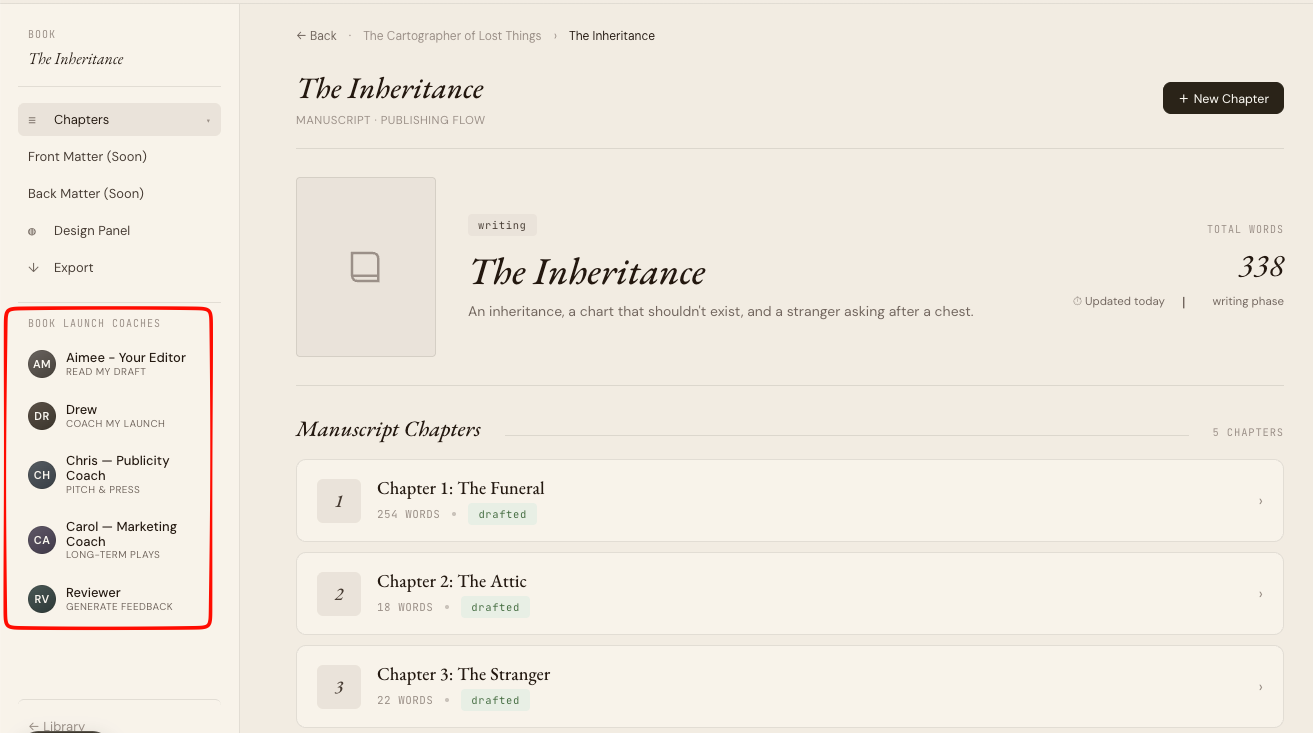
A cast of advisors for the launch.
Aimee reads your draft. Drew coaches your launch. Chris pitches the press. Carol plays the long game.
— Every coach is a distinct AI persona with a distinct specialty. Nobody else does this.
Plan ↔ Prose
One click from plan to prose.
Open a node, click 'Write this chapter →', land at the right scene. Plan and prose stop being separate tools.
Ready to map your masterpiece?
Story Graph is free forever. No credit card. No expiry.
Build your fortress